How Event Management Software Increases Attendance
Getting more people to register for your event isn't just about better promotion. It's about removing the friction that keeps people from saying yes.
If your registration form is confusing, ticket pricing is hard to understand, event details are scattered across emails, or sponsors and speakers don't know how to help promote the event, potential attendees may lose interest before they ever commit.
That's why the best way to increase event attendance isn't one single tactic. It's a connected system: easier registration, clearer communication, stronger promotion, better ticketing, and a repeatable planning process your team can improve over time.
For small teams, associations, nonprofits, agencies, and recurring event organizers, the right event management software can make that system much easier to manage.
Quick Answer: How Do You Increase Event Attendance?
To increase event attendance, reduce friction at every step of the attendee journey. Make registration easy, use clear ticket deadlines, promote through trusted speakers and partners, keep event information accessible on any device, and follow up with targeted reminders before event day.
Event management software helps by connecting registration, ticketing, communications, sponsors, volunteers, budgeting, and reporting in one place so your team can spend less time managing scattered tools and more time improving the attendee experience.
Why Attendance Growth Starts Before Promotion
Many organizers assume low attendance means they need more ads, more emails, or more social posts. Sometimes that's true. But often, attendance suffers because the event experience feels unclear or inconvenient before someone registers.
Common friction points include:
- Registration forms that ask too many questions too soon
- Ticket pages that don't clearly explain pricing or deadlines
- Hidden fees or unclear payment steps
- Event details buried in long email threads
- Speakers, sponsors, and partners without simple ways to help promote
- Last-minute changes that attendees miss
- Manual tracking across spreadsheets, forms, email tools, and ticketing systems
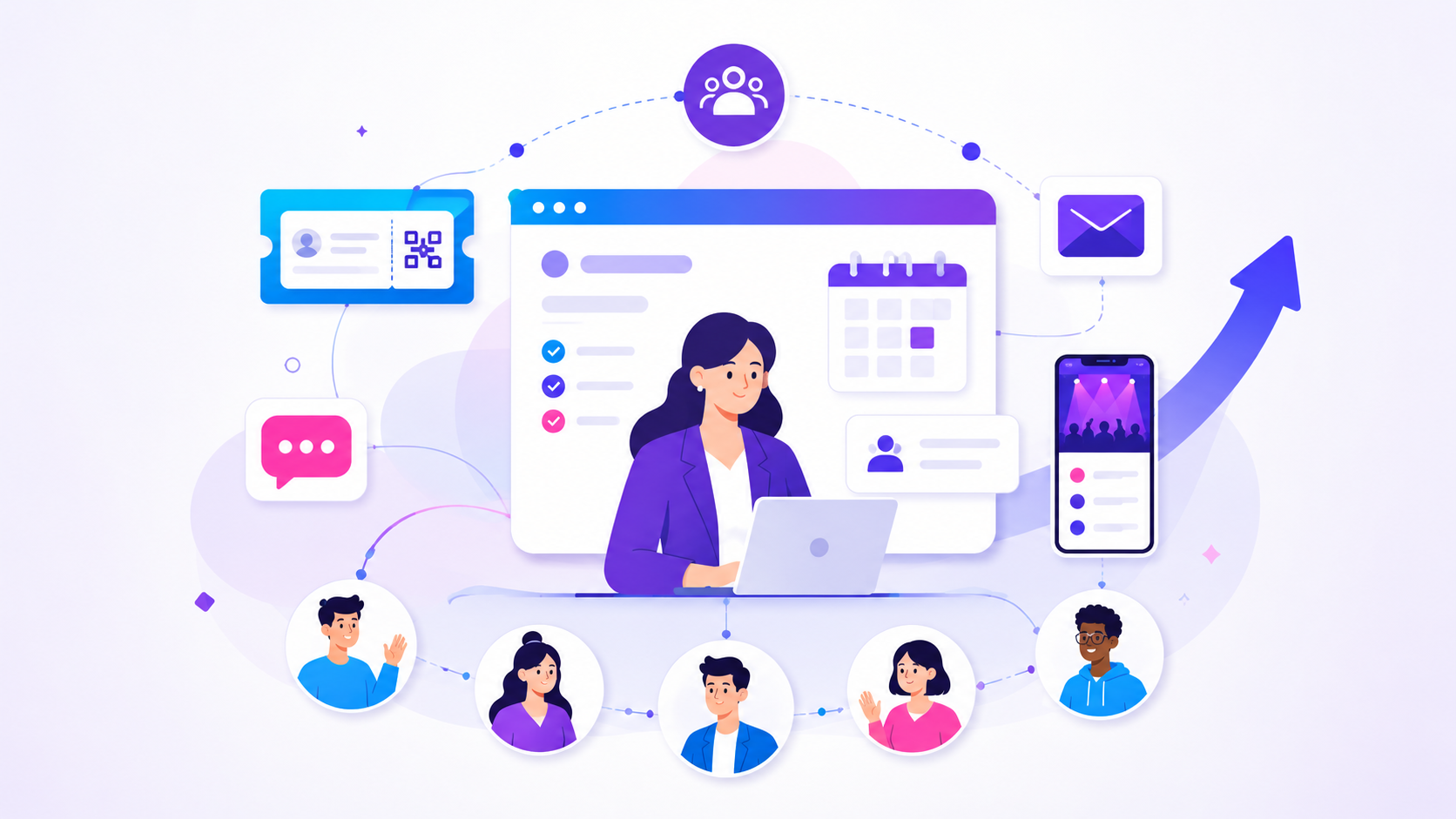
That's where event management software becomes more than an administrative tool. It connects registration, ticketing, budgeting, scheduling, reporting, and communication so your team can manage the full attendee journey without disconnected tools.
When your registration, ticketing, communication, and reporting workflows are connected, it becomes easier to see what is working, fix what is slowing people down, and build a stronger event experience year after year.
1. Make Registration Easier to Complete
One of the most practical event registration tips is also one of the simplest: only ask for what you truly need at the moment someone signs up.
Long forms create hesitation. Irrelevant questions create confusion. Unclear instructions create support requests. And when a potential attendee is registering from a phone, even small points of friction can cause drop-off.
A better approach is to build registration around the type of person signing up.
For example:
- Attendees may only need ticket type, contact details, meal preferences, and accessibility needs.
- Speakers may need bio information, session details, headshots, and presentation requirements.
- Sponsors may need logo files, website links, booth preferences, and contact details.
- Vendors may need insurance documents, product categories, and electrical requirements.
- Volunteers may need shift preferences, emergency contact information, and role experience.
Event registration software can help by giving organizers a cleaner way to collect the right information from the right people. Instead of forcing every registrant through the same form, you can create different registration paths or use conditional fields so people only see the questions that apply to them.
For more practical event registration tips, focus on making the form clear, mobile-friendly, and relevant to the person completing it.
Actionable Registration Improvements
Use these event registration tips before launching your next event:
-
Start with the minimum required fields. Ask only for what you need to confirm the registration or ticket purchase.
-
Separate different participant types. Do not make attendees, speakers, sponsors, volunteers, and vendors complete the same form.
-
Use plain-language field labels. Replace internal terms with language your audience understands.
-
Add short help text where people may hesitate. For example, explain acceptable file formats, meal options, accessibility fields, or refund policy links.
-
Test the full form on mobile. Many attendees will register from their phone. If the form feels difficult on a small screen, simplify it.
-
Confirm what happens next. After registration, tell attendees when they will receive tickets, event details, schedule updates, or access instructions.
ClearEvent’s event registration software supports customizable forms for attendees, speakers, vendors, sponsors, volunteers, VIPs, and other participant types. That makes it easier to collect the right information without overwhelming every registrant with the same questions.
2. Use Ticket Pricing to Encourage Earlier Decisions
Tiered pricing can help increase event attendance because it gives people a reason to act before the final deadline. But urgency only works when it's clear, honest, and easy to understand.
The goal isn't to pressure people with fake scarcity. It's to help attendees understand why registering earlier benefits them and helps your team plan more accurately.
A simple ticketing structure might include:
- Early registration: best price for people who commit early
- Standard registration: regular price after the early deadline
- Final registration: last-call pricing or limited availability near event day
A clear tiered ticket pricing strategy gives attendees a reason to register earlier while helping your team forecast revenue and capacity more confidently.
For fundraisers, galas, conferences, and association events, you may also need ticket types such as:
- Member and non-member tickets
- VIP tickets
- Table or group tickets
- Sponsor-included tickets
- Student or community tickets
- Free volunteer or staff passes
For events that need both payment collection and attendee details, it helps to understand how event registration software and event ticketing software work together to support a smoother attendee experience.
Event ticketing software matters because pricing, capacity, payments, confirmations, and attendee records all affect the registration experience. If your ticketing setup is hard to update, unclear to attendees, or disconnected from registration data, your team may spend too much time fixing pricing questions manually.
Actionable Ticketing Improvements
To make ticketing support attendance growth:
-
Publish all key pricing dates upfront. Don't make attendees guess when prices change.
-
Avoid extending early-bird deadlines repeatedly. If deadlines are flexible every time, attendees learn to wait.
-
Explain what each ticket includes. Be specific about meals, sessions, workshops, access levels, seating, or networking opportunities.
-
Show capacity limits clearly when they are real. For example, “Workshop limited to 40 participants” is more useful than vague urgency.
-
Keep fees transparent. Unexpected costs near checkout can reduce trust and create hesitation.
-
Track which ticket types sell first. That data can help you adjust pricing, capacity, and promotion for the next event.
ClearEvent’s event ticketing software connects ticket sales with registration, attendee management, dashboards, and event communications. That helps organizers manage ticket activity without relying on a separate ticketing system, spreadsheet, and email list.
3. Promote Through Speakers, Sponsors, and Partners
Most events already have people who want the event to succeed. Speakers want strong session attendance. Sponsors want visibility. Board members want member engagement. Volunteers want a full room. Community partners want the event to reach the right audience.
The problem is that these groups are often asked to “help promote” without being given anything specific to share.
Make promotion easier by creating simple share kits.
What to Include in a Promotion Kit
For each speaker, sponsor, or partner, provide:
- A short event description
- A direct registration link
- Suggested social captions
- A few email blurbs they can copy and paste
- Speaker or sponsor graphics
- A “who should attend” note
- The top three reasons their audience should register
- Important pricing or registration deadlines
- UTM-tagged links when you want to track campaign performance
Instead of asking a speaker to post, give them a message like this:
I’m speaking at [Event Name] on [Topic]. This session is designed for [Audience] who want to [Outcome]. Register here before [Deadline] to save your spot.
For sponsors, make the message audience-specific:
We’re proud to support [Event Name], where [Audience] will gather to learn, connect, and explore [Theme]. Visit our sponsor profile and register for the event here.
This approach works especially well for associations, nonprofits, festivals, trade groups, and recurring community events because trust already exists within the network. The organizer doesn't have to create every touchpoint alone.
4. Segment Messages Based on Attendee Motivation
Generic event reminders are easy to ignore. Targeted messages are more useful because they speak to why someone might attend.
This doesn't need to be complicated. Start by grouping your audience based on what you already know from registration data, ticket type, member status, or previous event history.
| Audience Segment | What They Likely Care About | Message Angle |
|---|---|---|
| First-time attendees | What to expect and whether they will feel welcome | “Here is what your day will look like.” |
| Returning attendees | What is new this year | “See what has changed since last year.” |
| Members | Professional value and community connection | “Connect with peers and get practical takeaways.” |
| Sponsors | Visibility, relationships, and lead opportunities | “Here is how sponsors will be featured.” |
| Volunteers | Clarity, timing, and role expectations | “Here is where to be and what to do.” |
| VIPs or speakers | Logistics and preparation | “Here are the details you need before event day.” |
Good event planning software should help your team communicate with the right groups without rebuilding lists manually every time.
Actionable Messaging Sequence
Use this simple communication flow:
- Launch announcement: explain who the event is for and why it matters.
- Early registration reminder: highlight the value of registering early.
- Speaker or agenda update: give people a fresh reason to commit.
- Sponsor or partner spotlight: show momentum and credibility.
- Deadline reminder: clearly explain when pricing or registration changes.
- Final logistics message: send parking, arrival, check-in, schedule, and contact details.
- Post-event follow-up: share thanks, resources, survey links, and next-event information.
ClearEvent’s communication tools help organizers send updates, reminders, and alerts to different participant groups from the same event platform. That reduces manual list management and helps keep communication connected to live registration data.
5. Make Event Information Easy to Access on Any Device
Attendance doesn't end when someone registers. People still need to feel confident enough to show up.
If attendees can't find the schedule, parking information, ticket confirmation, session details, venue map, or last-minute updates, they may arrive frustrated or skip the event entirely.
A mobile-friendly event experience helps reduce that friction.
For many events, especially those serving mixed-age audiences, volunteers, community members, or association members, web-first access is important. Not every attendee wants to download an app just to check a schedule or find the check-in desk.
What Attendees Should Be Able to Find Quickly
Your event portal or mobile event app should make these details easy to access:
- Date, time, and venue address
- Parking and transit instructions
- Check-in location
- Ticket or registration confirmation
- Schedule and session details
- Speaker, sponsor, or exhibitor information
- Accessibility information
- Contact information for event support
- Real-time updates or important changes
Providing accessible event information helps reduce registration drop-offs, last-minute questions, and avoidable confusion on event day.
Event management software can improve both attendance and attendee satisfaction by keeping key details current and easy to find. When people can quickly access accurate information, they're more likely to feel prepared and less likely to rely on your team for repeated support questions.
ClearEvent’s web-based mobile event app gives attendees access to event information without requiring a separate download. That supports a lower-friction experience for attendees, volunteers, sponsors, and teams that need fast access to current details.
6. Reduce No-Shows With Better Final-Week Communication
Many attendance problems happen after registration. Someone signs up, gets busy, forgets the details, or misses an important update.
Final-week communication shouldn't be an afterthought. It should be part of your attendance strategy.
Final-Week Reminder Checklist
Send a clear message one week before the event with:
- Event date and start time
- Venue address and parking details
- Check-in instructions
- What to bring
- Schedule highlights
- Food or meal details
- Accessibility information
- Weather considerations, if relevant
- Contact information for questions
Then send a shorter reminder 24 to 48 hours before the event with the most important arrival details.
For conferences, galas, fundraisers, festivals, and association events, this can reduce confusion for attendees and your support team. It also gives you another opportunity to reinforce the value of showing up.
Instead of saying only, “Don’t forget to attend,” make the reminder useful:
We’re looking forward to seeing you tomorrow. Check-in opens at 8:00 a.m. at the main entrance. Your first session begins at 9:00 a.m. Parking is available in Lot B, and volunteers will be onsite to help direct you.
Clear instructions reduce uncertainty, which makes it easier for people to follow through.
7. Use Sponsors and Volunteers as Part of Your Attendance Strategy
Sponsors and volunteers are often treated as operational groups, but they can also help increase event attendance when they're given clear roles in the promotion plan.
Sponsors may promote the event to customers, members, donors, or professional networks. Volunteers may share the event with local groups or community contacts. Committee members may personally invite people who are likely to attend.
The key is making participation specific.
Sponsor Promotion Ideas
Give sponsors:
- A dedicated event link
- A short “proud sponsor” announcement
- Graphics sized for social media
- Suggested email copy
- A sponsor profile or listing to share
- A clear explanation of who should attend
- Deadlines for when to promote
Volunteer and Committee Promotion Ideas
Give volunteers and committee members:
- A short personal invitation template
- A registration link
- A list of audience groups to invite
- A suggested posting schedule
- Talking points about why the event matters
For example:
I’m helping with [Event Name] this year. It’s a great fit for anyone interested in [Topic/Community/Cause]. Registration is open now, and I’d be glad to answer questions if you’re thinking about attending.
ClearEvent’s sponsor management tools help organizers manage sponsor information, commitments, logos, links, and visibility details in one place. For small teams, that structure can make it easier to deliver sponsor value while also using sponsor participation to support event promotion.
8. Track What Is Working Before the Event Is Over
A common mistake is waiting until after the event to review performance. By then, it's too late to fix weak registration momentum.
Instead, review attendance signals throughout the campaign.
Track:
- Registration volume by week
- Ticket sales by ticket type
- Registration source, when available
- Email opens and clicks
- Sponsor or partner link performance
- Abandoned or incomplete registration patterns
- Questions coming into your support inbox
- Ticket sales before and after pricing deadlines
This helps you spot problems early.
For example:
- If registration spikes after speaker announcements, create more speaker-led content.
- If sponsor links are underperforming, give sponsors better copy or graphics.
- If people start registration but don't complete it, simplify the form or clarify pricing.
- If one ticket type sells quickly, adjust promotion around the audience showing the most interest.
ClearEvent supports integrations such as Google Analytics, webhooks, imports, and exports, helping teams connect event data with the systems they already use for reporting, follow-up, and campaign tracking.
9. Improve Each Recurring Event Instead of Starting Over
For annual conferences, fundraisers, galas, festivals, awards dinners, and member events, attendance growth should get easier over time. But that only happens when your team can learn from past events.
If every event starts with a blank spreadsheet, a copied form, and scattered email threads, your team loses valuable history.
Recurring event teams should review:
- Which ticket types sold fastest
- Which registration deadlines worked best
- Which channels drove the most interest
- Which attendee groups needed extra reminders
- Which sponsors helped promote effectively
- Which sessions or activities created the most demand
- Which budget assumptions were accurate
- Which support questions came up repeatedly
Event planning software becomes especially useful when your team runs recurring events. Instead of rebuilding every workflow manually, your team can use past event structure, registration data, ticketing setup, budgets, and lessons learned to plan the next event with more confidence.
ClearEvent is built for small teams and recurring events, helping organizers manage registration, ticketing, schedules, communications, budgeting, dashboards, and check-in in one connected platform.
What to Look for in Event Management Software
If your goal is to increase event attendance, don't evaluate event management software based only on whether it can sell tickets. Look for tools that support the full path from interest to attendance.
The right platform should include:
- Event registration software with customizable forms, conditional logic, pricing options, and approval workflows
- Event ticketing software that supports ticket types, capacity, payment collection, and clear attendee confirmations
- Communication tools for reminders, updates, alerts, and audience-specific messages
- A mobile-friendly event portal or mobile event app so attendees can access current event details
- Sponsor and volunteer management to keep key contributors organized
- Event budgeting tools to monitor revenue, expenses, and profitability
- Reporting and integrations to help your team understand which channels and workflows are working
- Accessibility support so attendees can access event information across devices and comfort levels
- Recurring event workflows so your team doesn't have to start from scratch every year
For lean teams, the biggest benefit isn't adding more software. It's replacing scattered tools with one event management platform that keeps the moving parts connected.
Final Thoughts
The best way to increase event attendance is to make it easier for people to say yes, easier for them to stay informed, and easier for your team to follow through.
Promotion matters, but promotion alone can't fix a confusing registration process, unclear ticketing, missed updates, or scattered event details. Strong attendance comes from the full system behind the event: registration, ticketing, communication, sponsors, volunteers, budgets, and repeatable planning.
The most successful attendance strategies are the ones your team can repeat, measure, and improve from one event to the next.
For associations, nonprofits, agencies, community organizations, and recurring event teams, ClearEvent brings those moving parts into one practical event management software platform. That helps organizers reduce manual work, improve the attendee experience, and build events that are easier to promote, easier to manage, and easier to grow over time.
Frequently Asked Questions
How can I increase event attendance?
To increase event attendance, make registration simple, promote early, use clear ticket deadlines, send useful reminders, and keep event details easy to access. The most effective strategy is to reduce friction at every step, from the first registration page to the final event-day reminder.
What are the best event registration tips for higher attendance?
The best event registration tips are to keep forms short, ask only relevant questions, use separate paths for different participant types, test the form on mobile, and clearly explain what happens after registration. Event registration software can help by keeping forms, payments, confirmations, and attendee data organized in one place.
How does event management software help increase attendance?
Event management software helps increase attendance by connecting registration, ticketing, communication, reporting, sponsors, volunteers, and event details. When these workflows are connected, organizers can reduce manual work, send better reminders, track what is working, and make the attendee experience easier to complete.
Is event planning software better than separate forms and ticketing tools?
Event planning software is usually better for growing or recurring events because it reduces disconnected work. Separate forms, spreadsheets, ticketing tools, and email lists may work for very small events, but they become harder to manage as attendee types, sponsors, volunteers, payments, and communications become more complex.
What should event ticketing software include?
Event ticketing software should support multiple ticket types, clear pricing, capacity limits, payment collection, attendee confirmations, and reporting. For stronger event operations, ticketing should also connect with registration, attendee communication, check-in, and event reporting.